How to Choose a Soundbar for Your TV
- 25 Nov, 2025
Modern TVs keep getting thinner, and that leaves very little room for decent speakers. Dialogue can sound muffled, explosions lack weight and you end up reaching for the volume button all evening. A soundbar is one of the simplest ways to fix this. It sits under or in front of the TV, connects with one cable and can transform films, sport and games. Here is what to look at before you buy.
Channels and subwoofers explained
Soundbars are often described with numbers such as 2.0, 2.1 or 5.1. The first number is the number of main audio channels, and the second shows whether there is a dedicated subwoofer for bass.
- 2.0 soundbars have left and right channels in one unit. They are compact and a clear step up from most TV speakers.
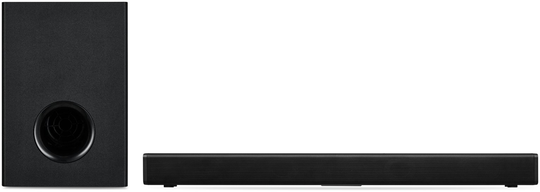
- 2.1 adds a separate subwoofer for deeper bass. A model with a wireless sub, such as this 2.1 channel Bluetooth soundbar with wireless subwoofer, lets you place the sub where it sounds best without running a cable across the room.
- 3.1 and 5.1 setups add a centre channel for clearer dialogue and, in some cases, surround effects. They suit people who watch a lot of films.
More channels are not always better. In a small flat, a well-tuned 2.1 system may be all you need, and a large subwoofer can be too much for thin walls and neighbours.
Connections that matter
How the soundbar connects to your TV affects both sound quality and convenience.
- HDMI ARC or eARC is usually the best option if your TV supports it. It carries audio over one cable and often lets you control the soundbar volume with your TV remote.
- Optical is a common alternative on older TVs and works well for most everyday viewing.
- Bluetooth is handy for streaming music from your phone, turning the soundbar into a speaker for the whole living room.
- AUX inputs are useful for older devices and computers.
Check which ports your TV has before you order, so you are not caught out by a missing cable or an incompatible connection.
Size, room and placement
As a rule of thumb, a soundbar looks best when it is roughly the same width as the TV or a little narrower. Measure the space on your TV unit, and if the TV stands on a base, make sure the soundbar will not block the screen or the infrared sensor for the remote.
If you plan to wall-mount the TV, look for a soundbar that can be mounted too, or that comes with a bracket. For subwoofers, try a few positions. Placing the sub near a wall or in a corner usually gives more bass, while moving it out a little can make it sound tighter.
Features worth having
- Dialogue or voice mode lifts speech above music and effects, which is useful for late-night viewing.
- Night mode reduces loud peaks so you can watch without disturbing others.
- Sound presets for films, music and sport give quick adjustments without menus.
- A simple remote or app makes everyday use easier, especially if family members share the TV.
Some soundbars also offer voice assistants, multi-room audio or virtual surround processing. These can be great extras, but focus first on clear dialogue and the connections you need.
Quick checklist
- Choose 2.0 for small rooms, 2.1 if you want more bass, 3.1 or more for a cinema feel.
- Use HDMI ARC or eARC if your TV supports it.
- Match the soundbar width to your TV and check it will not block the screen.
- Look for dialogue and night modes if you often watch in the evening.
You can compare different sizes and setups in our soundbar category to find one that suits your room and your viewing habits.